Music Release Landing Page: What to Put on It on Day One
Give every new song one link that works before and after it's out: what a music release landing page needs, before and on release day, and free tools.
On this page
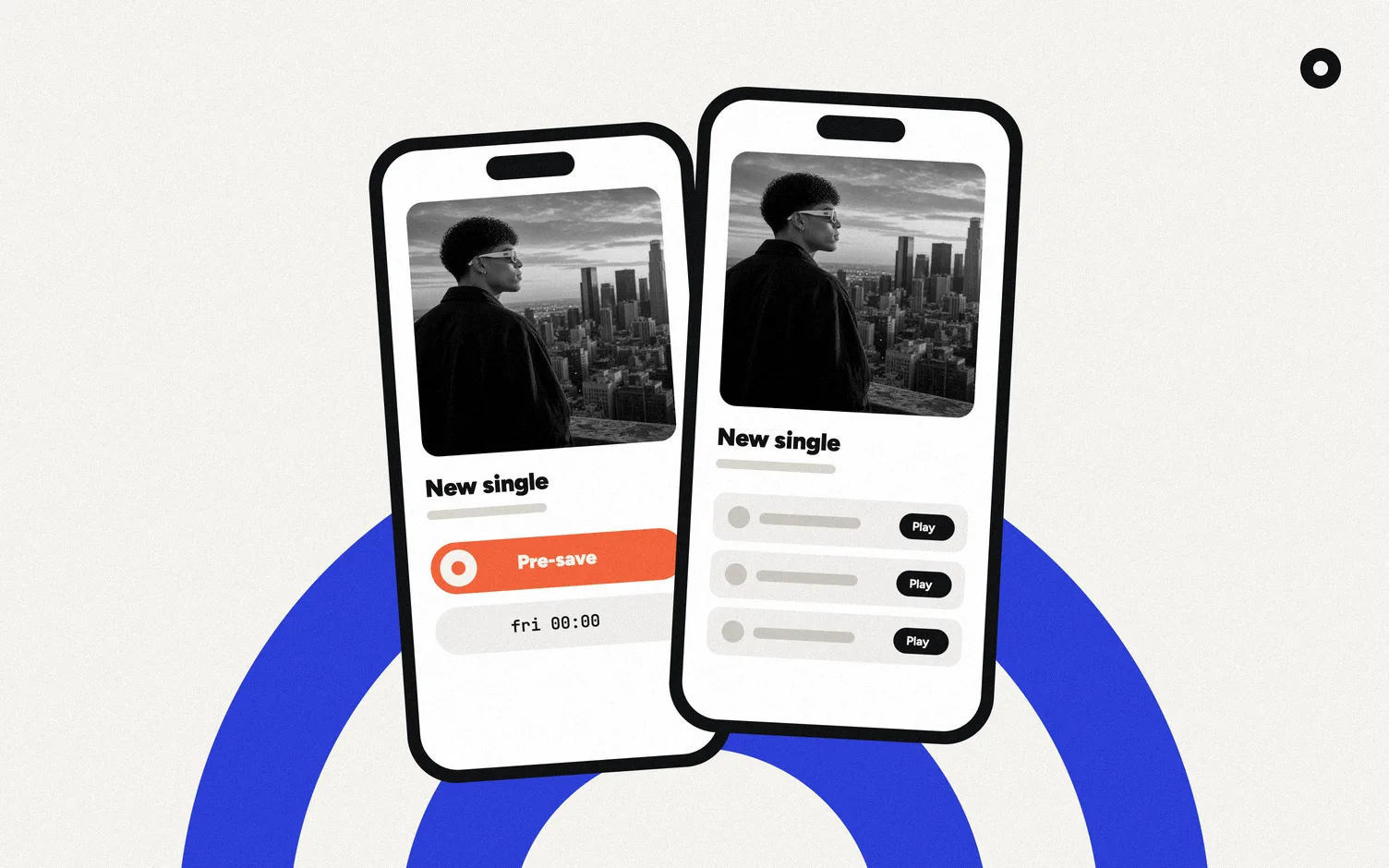
A release landing page is one page for one song or project. Before release day it asks for pre-saves; from release day on it's where people listen, on any app. It needs the artwork, the title, a button for each streaming service and a way to join your mailing list. Your distributor may already give you one for free.
What goes on a release page before release day?
- The artwork and the release date.
- A pre-save button, from your distributor or a smart-link tool. Here's how Spotify pre-saves work.
- A way to hear about it first: a short sign-up, like "Get notified when it's out".
What goes on it from release day on?
- A button for every service the song is on.
- The video, if there is one.
- The sign-up again, now for the next release.
- A way to the rest of your music, like a link to your website.
Which tools make release pages?
| Option | Cost | Pre-save | On release day | Fan emails |
|---|---|---|---|---|
| DistroKid HyperFollow | Free for DistroKid artists | Yes, Spotify | Adds the other services on its own | Musician Plus and Ultimate plans |
| Feature.fm | Free plan; Basic Artist US$7/mo billed yearly or US$8 monthly | 1 service free, 3 on Basic Artist, all on Artist | You set up the release link | Free plan: upgrade to see them; Basic Artist: 50 per link |
| Spotify Countdown Page | Free | Yes, inside Spotify | It's on Spotify | No |
| Loud | 14 day trial, then US$5/mo | Shows your distributor's pre-save link | Made on its own, switches to listen buttons | Site-wide list, by city |
Sources: DistroKid Help, Feature.fm pricing, Spotify Support and stayloud.co, checked October 16, 2026. Countdown Pages are for albums and EPs only, from artists with at least 3,000 monthly active listeners.
How do you set one up?
1. Upload the release early
Your distributor needs it before it can give you a pre-save link. With DistroKid, the page exists the moment you finish uploading. If the song was out before with another distributor, upload it with its existing ISRC code so the stores treat it as the same recording. For the dates around it, see the music release checklist. If you haven't chosen a distributor yet, start with how to release music on Spotify.
2. Put the release link where people find you
Your bio link, stories and your mailing list.
3. Check it on release day
Open the page on your phone and tap every button. A broken link on day one is the one you want to catch. While you're there, open the song in the Spotify app and check that its Canvas shows; if you haven't made one, here are the Spotify Canvas size and specs.
Where does Loud fit?
We make Loud. Loud builds your website and link in bio from your music, and makes a page for every release on its own, at stayloud.co/yourname/song-name, linked from your site and link in bio.
Before release day, the page shows the date, a Pre-save button if you pasted your distributor's link, Apple Music, and a "Get notified when it's out" sign-up. On release day it switches to Apple Music, Spotify and the YouTube video if there is one, with the sign-up for your list. The Spotify button opens the exact song when it's the one you gave Loud; for other releases it opens a Spotify search for it. Each page also gets its own share image with the artwork. The fan sign-up turns on once you confirm the page is yours.
Where Loud loses: it doesn't create pre-saves, doesn't add ad pixels, and the page follows Loud's design instead of one you build. If your plan depends on pre-save numbers and Meta pixels, use HyperFollow or Feature.fm for the campaign. If you want a full site around it, see how to make a music website.
Related: email list for musicians, for what to send when the song is out.
FAQ
What is a music release landing page?
One page for one release. It asks for pre-saves before release day and links to every streaming service after.
Is there a free release page tool?
Yes. DistroKid makes a HyperFollow page for every upload at no extra cost, Feature.fm has a free plan, and Loud makes a page for each release on every plan.
Should a release page have an email sign-up?
It's a good idea. It gives someone who liked the song a way to hear about the next one.
Does Loud make release pages automatically?
Yes. Loud checks for new music every day and makes a page for each release, at stayloud.co/yourname/song-name.
Can I put a pre-save on my Loud release page?
Yes, if your distributor gives you one. Paste it on your Loud Home page and it becomes the Pre-save button.